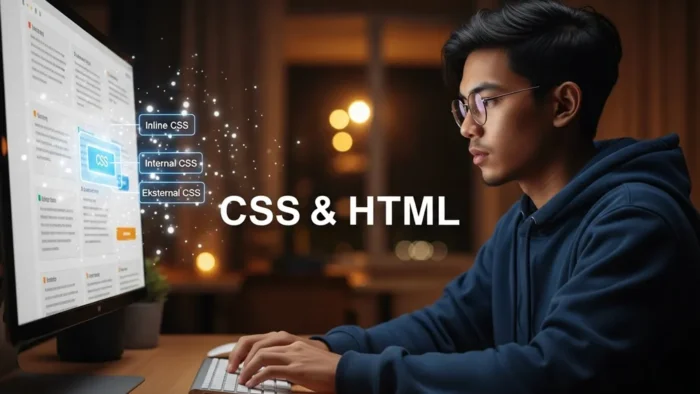
Hai kawan Maya! Jadi kawan Maya sudah tahu apa itu CSS dan bagaimana CSS bisa membuat website kawan Maya jadi cantik dan menarik. Tapi pertanyaan selanjutnya adalah: Bagaimana cara menghubungkan CSS dengan HTML?
Ibarat kawan Maya punya resep masakan yang enak (CSS), tapi gimana caranya “menyajikan” resep itu ke masakan kawan Maya (HTML)? Nah, di sini kita akan belajar tiga cara berbeda untuk menambahkan CSS ke halaman HTML kawan Maya.
Setiap cara punya kelebihan dan kekurangannya masing-masing, jadi mari kita pelajari satu per satu!
Kenapa Ada Tiga Cara?
Sebelum kita mulai, kawan Maya mungkin bertanya-tanya: “Kok ribet, kenapa harus ada tiga cara?”
Jawabannya sederhana: fleksibilitas. Kadang kawan Maya cuma butuh style untuk satu element spesifik, kadang untuk satu halaman, kadang untuk seluruh website. Setiap kebutuhan punya solusi yang paling efisien.
Mari kita eksplorasi ketiga cara ini!
1. Inline CSS: Style Langsung di Element
Cara pertama adalah yang paling langsung dan sederhana: menulis CSS langsung di dalam tag HTML menggunakan attribute style.
Cara Penulisan
<tagname style="property: value; property: value;">
    Content
</tagname>
Contoh Praktis
<!DOCTYPE html>
<html lang="id">
<head>
    <meta charset="UTF-8">
    <title>Contoh Inline CSS</title>
</head>
<body>
    <h1 style="color: #e74c3c; font-size: 2.5em; text-align: center;">
        Selamat Datang di Website Saya
    </h1>

    <p style="color: #2c3e50; line-height: 1.8; font-size: 18px;">
        Ini adalah paragraf yang di-style menggunakan inline CSS.
        Perhatikan bahwa style-nya langsung ditulis di dalam tag.
    </p>

    <div style="background-color: #3498db; color: white; padding: 20px; border-radius: 8px; margin: 20px 0;">
        Ini adalah kotak dengan background biru, teks putih, padding, dan rounded corners.
    </div>

    <button style="background-color: #2ecc71; color: white; padding: 12px 24px; border: none; border-radius: 5px; cursor: pointer; font-size: 16px;">
        Klik Saya
    </button>
</body>
</html>
Kelebihan Inline CSS
✅ Cepat dan mudah untuk testing atau perubahan kecil ✅ Sangat spesifik – style ini punya prioritas tertinggi ✅ Tidak perlu file tambahan – semua ada dalam satu file HTML ✅ Cocok untuk email HTML – karena banyak email client tidak support external CSS
Kekurangan Inline CSS
❌ Tidak reusable – harus copy-paste untuk setiap element ❌ Sulit di-maintain – bayangkan kalau ada 100 tombol yang harus diubah warnanya! ❌ Mencampur content dengan presentation – melanggar prinsip clean code ❌ File HTML jadi besar dan berantakan ❌ Tidak bisa menggunakan pseudo-classes seperti :hover, :focus ❌ Tidak bisa menggunakan pseudo-elements seperti ::before, ::after ❌ Tidak bisa menggunakan media queries untuk responsive design
Kapan Menggunakan Inline CSS?
- Testing cepat saat development
- Email HTML template
- Perubahan sangat spesifik untuk satu element saja
- Dynamic styling dengan JavaScript
- Ketika kawan Maya tidak punya akses ke file CSS atau
<head>section
Rekomendasi: Hindari inline CSS di production website, kecuali memang benar-benar diperlukan!
2. Internal CSS: Style di dalam <head>
Cara kedua adalah menulis CSS di dalam tag <style> yang ditempatkan di section <head> dokumen HTML.
Cara Penulisan
<!DOCTYPE html>
<html lang="id">
<head>
    <meta charset="UTF-8">
    <title>Judul Halaman</title>
    <style>
        /* CSS rules di sini */
        selector {
            property: value;
        }
    </style>
</head>
<body>
    <!-- HTML content -->
</body>
</html>
Contoh Lengkap
<!DOCTYPE html>
<html lang="id">
<head>
<meta charset="UTF-8">
<title>Contoh Internal CSS</title>
<style>
/* Reset basic styles */
* {
margin: 0;
padding: 0;
box-sizing: border-box;
}
body {
font-family: 'Segoe UI', Tahoma, Geneva, Verdana, sans-serif;
line-height: 1.6;
background-color: #f4f4f4;
color: #333;
}
.container {
max-width: 1200px;
margin: 0 auto;
padding: 20px;
}
header {
background: linear-gradient(135deg, #667eea 0%, #764ba2 100%);
color: white;
text-align: center;
padding: 60px 20px;
margin-bottom: 30px;
}
h1 {
font-size: 2.5em;
margin-bottom: 10px;
}
.card {
background-color: white;
padding: 30px;
margin: 20px 0;
border-radius: 8px;
box-shadow: 0 2px 10px rgba(0,0,0,0.1);
}
.card h2 {
color: #3498db;
margin-bottom: 15px;
}
.card p {
color: #555;
margin-bottom: 10px;
}
.btn {
display: inline-block;
background-color: #3498db;
color: white;
padding: 12px 30px;
text-decoration: none;
border-radius: 5px;
transition: background-color 0.3s ease;
}
.btn:hover {
background-color: #2980b9;
}
footer {
background-color: #2c3e50;
color: white;
text-align: center;
padding: 20px;
margin-top: 40px;
}
</style>
</head>
<body>
<div class="container">
<header>
<h1>Website dengan Internal CSS</h1>
<p>Semua style ada di dalam tag <style></p>
</header>
<div class="card">
<h2>Tentang Internal CSS</h2>
<p>Internal CSS memungkinkan kita menulis semua style dalam satu dokumen HTML.</p>
<p>Ini sangat berguna untuk halaman yang berdiri sendiri atau landing page.</p>
<a href="#" class="btn">Pelajari Lebih Lanjut</a>
</div>
<div class="card">
<h2>Keuntungan Internal CSS</h2>
<p>Tidak perlu file terpisah, mudah di-manage untuk satu halaman.</p>
<a href="#" class="btn">Lihat Contoh</a>
</div>
<footer>
<p>© 2025 Tutorial CSS by Maya</p>
</footer>
</div>
</body>
</html>
Kelebihan Internal CSS
✅ Lebih terorganisir dibanding inline CSS ✅ Bisa menggunakan selectors, pseudo-classes, dan pseudo-elements ✅ Tidak perlu HTTP request tambahan – semua dalam satu file ✅ Cocok untuk single page atau landing page ✅ Bisa menggunakan semua fitur CSS termasuk media queries ✅ Class dan ID bisa digunakan untuk reusability dalam satu halaman
Kekurangan Internal CSS
❌ Tidak reusable antar halaman – harus copy-paste ke setiap halaman ❌ File HTML jadi lebih besar ❌ Maintenance jadi lebih susah untuk multi-page website ❌ Browser tidak bisa cache CSS secara terpisah ❌ Mixing content dengan style (meski lebih baik dari inline)
Kapan Menggunakan Internal CSS?
- Website single page atau landing page
- HTML email yang lebih kompleks
- Halaman dengan style yang sangat unik dan tidak akan dipakai lagi
- Prototyping atau demo cepat
- Ketika kawan Maya tidak bisa atau tidak mau membuat file CSS terpisah
- Dokumen HTML yang harus berdiri sendiri (standalone)
Tips untuk Internal CSS
- Letakkan di
<head>– Agar style diload sebelum content - Gunakan komentar – Untuk mengorganisir CSS rules
- Group selector – Untuk mengurangi repetisi
- Tetap terorganisir – Gunakan indentation yang konsisten
<style>
    /* === RESET === */
    * { margin: 0; padding: 0; }

    /* === TYPOGRAPHY === */
    body { font-family: Arial, sans-serif; }
    h1, h2, h3 { color: #2c3e50; }

    /* === LAYOUT === */
    .container { max-width: 1200px; margin: 0 auto; }

    /* === COMPONENTS === */
    .btn { padding: 10px 20px; background: blue; }
</style>
3. External CSS: File Terpisah (Recommended!)
Ini adalah cara yang paling direkomendasikan dan paling banyak digunakan oleh professional web developer. CSS ditulis di file terpisah dengan extension .css, kemudian di-link ke HTML.
Step-by-Step: Membuat External CSS
Step 1: Buat file CSS
Buat file baru dengan nama style.css (atau nama lain yang kawan Maya suka):
/* style.css */

/* === RESET & BASE === */
* {
    margin: 0;
    padding: 0;
    box-sizing: border-box;
}

body {
    font-family: 'Helvetica Neue', Arial, sans-serif;
    line-height: 1.6;
    color: #333;
    background-color: #f8f9fa;
}

/* === CONTAINER === */
.container {
    max-width: 1200px;
    margin: 0 auto;
    padding: 0 20px;
}

/* === HEADER === */
.header {
    background: linear-gradient(135deg, #667eea 0%, #764ba2 100%);
    color: white;
    padding: 80px 0;
    text-align: center;
    box-shadow: 0 4px 6px rgba(0,0,0,0.1);
}

.header h1 {
    font-size: 3em;
    margin-bottom: 10px;
    font-weight: 700;
}

.header p {
    font-size: 1.2em;
    opacity: 0.9;
}

/* === NAVIGATION === */
.nav {
    background-color: white;
    box-shadow: 0 2px 5px rgba(0,0,0,0.1);
    position: sticky;
    top: 0;
    z-index: 100;
}

.nav ul {
    list-style: none;
    display: flex;
    justify-content: center;
    padding: 0;
}

.nav li {
    margin: 0 20px;
}

.nav a {
    display: block;
    padding: 20px;
    color: #2c3e50;
    text-decoration: none;
    font-weight: 600;
    transition: all 0.3s ease;
}

.nav a:hover {
    color: #3498db;
    background-color: #f8f9fa;
}

/* === CARDS === */
.card-grid {
    display: grid;
    grid-template-columns: repeat(auto-fit, minmax(300px, 1fr));
    gap: 30px;
    margin: 40px 0;
}

.card {
    background-color: white;
    border-radius: 10px;
    padding: 30px;
    box-shadow: 0 3px 10px rgba(0,0,0,0.1);
    transition: transform 0.3s ease, box-shadow 0.3s ease;
}

.card:hover {
    transform: translateY(-5px);
    box-shadow: 0 5px 20px rgba(0,0,0,0.15);
}

.card h3 {
    color: #2c3e50;
    margin-bottom: 15px;
    font-size: 1.5em;
}

.card p {
    color: #666;
    line-height: 1.8;
}

/* === BUTTONS === */
.btn {
    display: inline-block;
    padding: 12px 30px;
    background-color: #3498db;
    color: white;
    text-decoration: none;
    border-radius: 5px;
    border: none;
    cursor: pointer;
    font-size: 16px;
    font-weight: 600;
    transition: all 0.3s ease;
}

.btn:hover {
    background-color: #2980b9;
    transform: translateY(-2px);
    box-shadow: 0 4px 8px rgba(0,0,0,0.2);
}

.btn-secondary {
    background-color: #95a5a6;
}

.btn-secondary:hover {
    background-color: #7f8c8d;
}

/* === FOOTER === */
.footer {
    background-color: #2c3e50;
    color: white;
    text-align: center;
    padding: 40px 20px;
    margin-top: 60px;
}

.footer p {
    margin: 5px 0;
}

/* === RESPONSIVE === */
@media (max-width: 768px) {
    .header h1 {
        font-size: 2em;
    }

    .nav ul {
        flex-direction: column;
    }

    .nav li {
        margin: 0;
        border-bottom: 1px solid #eee;
    }

    .card-grid {
        grid-template-columns: 1fr;
    }
}
Step 2: Link CSS ke HTML
Buat file HTML dan link ke file CSS menggunakan tag <link>:
<!DOCTYPE html>
<html lang="id">
<head>
<meta charset="UTF-8">
<meta name="viewport" content="width=device-width, initial-scale=1.0">
<title>Website dengan External CSS</title>
<!-- Link ke file CSS eksternal -->
<link rel="stylesheet" href="style.css">
</head>
<body>
<header class="header">
<div class="container">
<h1>Website Modern</h1>
<p>Menggunakan External CSS untuk styling yang bersih dan terorganisir</p>
</div>
</header>
<nav class="nav">
<ul>
<li><a href="#home">Home</a></li>
<li><a href="#about">About</a></li>
<li><a href="#services">Services</a></li>
<li><a href="#contact">Contact</a></li>
</ul>
</nav>
<div class="container">
<div class="card-grid">
<div class="card">
<h3>Desain Responsif</h3>
<p>Website yang terlihat bagus di semua perangkat, dari desktop hingga smartphone.</p>
<a href="#" class="btn">Pelajari</a>
</div>
<div class="card">
<h3>Performa Cepat</h3>
<p>CSS eksternal di-cache oleh browser untuk loading yang lebih cepat.</p>
<a href="#" class="btn">Pelajari</a>
</div>
<div class="card">
<h3>Mudah Maintenance</h3>
<p>Ubah satu file CSS, semua halaman ter-update otomatis.</p>
<a href="#" class="btn">Pelajari</a>
</div>
</div>
</div>
<footer class="footer">
<div class="container">
<p>© 2025 Tutorial CSS by Maya</p>
<p>Dibuat dengan ❤️ dan External CSS</p>
</div>
</footer>
</body>
</html>
Penjelasan Tag <link>
<link rel="stylesheet" href="style.css">
rel="stylesheet"– Menentukan relationship antara HTML dan file yang di-link (stylesheet)href="style.css"– Path atau lokasi file CSS
Variasi Path File CSS
1. Same Directory (Folder yang sama)
<link rel="stylesheet" href="style.css">
2. Subdirectory (Folder di dalam folder)
<link rel="stylesheet" href="css/style.css">
<link rel="stylesheet" href="assets/styles/main.css">
3. Parent Directory (Folder di atas)
<link rel="stylesheet" href="../style.css">
<link rel="stylesheet" href="../../css/style.css">
4. Absolute Path (URL lengkap)
<link rel="stylesheet" href="https://example.com/css/style.css">
5. Root-relative Path
<link rel="stylesheet" href="/css/style.css">
Multiple CSS Files
Kawan Maya bisa link lebih dari satu file CSS:
<head>
    <link rel="stylesheet" href="reset.css">
    <link rel="stylesheet" href="layout.css">
    <link rel="stylesheet" href="components.css">
    <link rel="stylesheet" href="responsive.css">
</head>
Urutan penting! File yang di-link terakhir akan override yang sebelumnya jika ada konflik.
Kelebihan External CSS (Kenapa Ini yang Terbaik!)
✅ Separation of Concerns – HTML untuk content, CSS untuk style ✅ Reusable – Satu file CSS untuk banyak halaman ✅ Easy Maintenance – Ubah satu file, semua halaman ter-update ✅ Browser Caching – CSS di-cache, website loading lebih cepat ✅ Collaborative – Tim bisa kerja parallel (ada yang ngoding HTML, ada yang CSS) ✅ File Size – HTML jadi lebih kecil dan clean ✅ SEO Friendly – HTML lebih mudah di-crawl search engine ✅ Organized – Bisa split CSS ke multiple files sesuai fungsi ✅ Version Control – Lebih mudah track changes di Git
Kekurangan External CSS
❌ Extra HTTP Request – Browser perlu download file CSS terpisah ❌ Perlu Web Server – Tidak bisa buka langsung file HTML di browser (untuk path relatif) ❌ Dependency – HTML bergantung pada file CSS yang harus ada
Note: Kekurangan ini sangat minimal dibanding keuntungannya!
Best Practices untuk External CSS
- Organize Your Files
project/
├── index.html
├── about.html
├── css/
│   ├── reset.css
│   ├── layout.css
│   ├── components.css
│   └── responsive.css
├── images/
└── js/
- Naming Convention
- Gunakan nama yang descriptive:
navigation.css,footer.css - Lowercase dengan dash:
main-style.cssbukanMainStyle.css - Konsisten dengan convention yang dipilih
- Comments di CSS
/* ==================
   NAVIGATION STYLES
   ================== */

.nav { ... }

/* ==================
   FOOTER STYLES
   ================== */

.footer { ... }
- Minify untuk Production
- Development:
style.css(readable) - Production:
style.min.css(compressed)
Perbandingan Ketiga Metode
Mari kita bandingkan secara langsung:
| Aspek | Inline | Internal | External |
|---|---|---|---|
| Lokasi | Di attribute style | Di tag <style> | File .css terpisah |
| Scope | Satu element | Satu halaman | Multiple halaman |
| Reusability | ❌ Tidak | ⚠️ Terbatas | ✅ Sangat baik |
| Maintenance | ❌ Sulit | ⚠️ Sedang | ✅ Mudah |
| Performance | ⚠️ Oke | ⚠️ Oke | ✅ Terbaik (cache) |
| CSS Features | ❌ Terbatas | ✅ Lengkap | ✅ Lengkap |
| Separation | ❌ Buruk | ⚠️ Sedang | ✅ Excellent |
| Kolaborasi | ❌ Sulit | ⚠️ Sedang | ✅ Mudah |
| SEO | ❌ Kurang baik | ⚠️ Oke | ✅ Terbaik |
| Best For | Testing cepat | Single page | Production website |
CSS Specificity & Cascade
Apa yang terjadi kalau ada konflik? CSS punya aturan specificity untuk menentukan style mana yang menang:
Urutan Prioritas (Highest to Lowest)
- Inline CSS – Priority tertinggi
- Internal CSS dengan selector yang lebih spesifik
- External CSS dengan selector yang lebih spesifik
- Browser default styles
Contoh Konflik
File: style.css
h1 {
    color: blue;
}
File: index.html
<head>
    <link rel="stylesheet" href="style.css">
    <style>
        h1 {
            color: green;
        }
    </style>
</head>
<body>
    <h1 style="color: red;">Judul</h1>
</body>
Hasilnya: Judul akan berwarna RED (inline menang)
Aturan Cascade
Jika specificity sama, yang terakhir di-load yang menang:
<head>
    <link rel="stylesheet" href="style1.css"> <!-- h1 {color: blue;} -->
    <link rel="stylesheet" href="style2.css"> <!-- h1 {color: green;} -->
</head>
Hasilnya: Hijau (style2.css di-load terakhir)
Kombinasi Method (Advanced)
Dalam praktiknya, kawan Maya bisa kombinasikan ketiga metode:
<!DOCTYPE html>
<html lang="id">
<head>
    <meta charset="UTF-8">
    <title>Kombinasi CSS</title>

    <!-- External CSS untuk base styles -->
    <link rel="stylesheet" href="base.css">
    <link rel="stylesheet" href="components.css">

    <!-- Internal CSS untuk page-specific styles -->
    <style>
        .special-banner {
            background: linear-gradient(45deg, #f093fb 0%, #f5576c 100%);
            padding: 40px;
            text-align: center;
        }
    </style>
</head>
<body>
    <div class="container">
        <!-- Normal styling dari external CSS -->
        <h1>Judul Website</h1>

        <!-- Page-specific dari internal CSS -->
        <div class="special-banner">
            <p>Promo Spesial Hari Ini!</p>
        </div>

        <!-- Inline untuk override khusus -->
        <p style="color: #e74c3c; font-weight: bold;">
            Peringatan penting!
        </p>
    </div>
</body>
</html>
Kapan Menggunakan Kombinasi?
- External CSS: Base styles, layout, components yang reusable
- Internal CSS: Page-specific styles yang tidak akan dipakai di halaman lain
- Inline CSS: Quick fixes, dynamic styling, atau override yang sangat spesifik
Tips Memilih Metode yang Tepat
Gunakan External CSS jika:
- ✅ Website multi-page
- ✅ Project yang akan berkembang
- ✅ Bekerja dalam tim
- ✅ Butuh performance optimal
- ✅ Ingin code yang maintainable
Gunakan Internal CSS jika:
- ✅ Landing page sederhana
- ✅ Email HTML template
- ✅ Demo atau prototype
- ✅ Single page application
- ✅ Style sangat unik untuk halaman tersebut
Gunakan Inline CSS jika:
- ✅ Testing saat development
- ✅ Override cepat untuk debugging
- ✅ Dynamic styling dengan JavaScript
- ✅ Email HTML (compatibility)
- ✅ Benar-benar one-time styling
Contoh Project Lengkap
Mari kita buat mini project menggunakan external CSS (recommended approach):
File Structure:
my-website/
├── index.html
├── about.html
├── css/
│   ├── reset.css
│   └── style.css
└── images/
File: css/reset.css
/* Reset default browser styles */
* {
    margin: 0;
    padding: 0;
    box-sizing: border-box;
}

html {
    font-size: 16px;
}

body {
    font-family: -apple-system, BlinkMacSystemFont, 'Segoe UI', Roboto, Oxygen, Ubuntu, Cantarell, sans-serif;
    line-height: 1.6;
}

img {
    max-width: 100%;
    height: auto;
}

a {
    text-decoration: none;
    color: inherit;
}

ul {
    list-style: none;
}
File: css/style.css
/* Main Styles */
:root {
    --primary-color: #3498db;
    --secondary-color: #2ecc71;
    --dark-color: #2c3e50;
    --light-color: #ecf0f1;
    --text-color: #333;
}

body {
    color: var(--text-color);
    background-color: #fff;
}

.container {
    max-width: 1200px;
    margin: 0 auto;
    padding: 0 20px;
}

/* Header */
.site-header {
    background-color: var(--dark-color);
    color: white;
    padding: 20px 0;
    box-shadow: 0 2px 5px rgba(0,0,0,0.1);
}

.site-header .container {
    display: flex;
    justify-content: space-between;
    align-items: center;
}

.logo {
    font-size: 1.8em;
    font-weight: bold;
    color: white;
}

.main-nav ul {
    display: flex;
    gap: 30px;
}

.main-nav a {
    color: white;
    padding: 10px 15px;
    border-radius: 4px;
    transition: background-color 0.3s;
}

.main-nav a:hover {
    background-color: rgba(255,255,255,0.1);
}

/* Hero Section */
.hero {
    background: linear-gradient(135deg, var(--primary-color) 0%, var(--secondary-color) 100%);
    color: white;
    padding: 100px 0;
    text-align: center;
}

.hero h1 {
    font-size: 3em;
    margin-bottom: 20px;
}

.hero p {
    font-size: 1.3em;
    margin-bottom: 30px;
}

.btn {
    display: inline-block;
    padding: 15px 40px;
    background-color: white;
    color: var(--primary-color);
    border-radius: 50px;
    font-weight: bold;
    transition: transform 0.3s, box-shadow 0.3s;
}

.btn:hover {
    transform: translateY(-3px);
    box-shadow: 0 10px 20px rgba(0,0,0,0.2);
}

/* Content Section */
.content-section {
    padding: 80px 0;
}

.section-title {
    text-align: center;
    font-size: 2.5em;
    margin-bottom: 50px;
    color: var(--dark-color);
}

.features-grid {
    display: grid;
    grid-template-columns: repeat(auto-fit, minmax(250px, 1fr));
    gap: 40px;
}

.feature-card {
    text-align: center;
    padding: 30px;
    background-color: #fff;
    border-radius: 10px;
    box-shadow: 0 5px 15px rgba(0,0,0,0.08);
    transition: transform 0.3s;
}

.feature-card:hover {
    transform: translateY(-10px);
}

.feature-icon {
    font-size: 3em;
    margin-bottom: 20px;
}

.feature-card h3 {
    font-size: 1.5em;
    margin-bottom: 15px;
    color: var(--dark-color);
}

/* Footer */
.site-footer {
    background-color: var(--dark-color);
    color: white;
    padding: 40px 0;
    text-align: center;
    margin-top: 80px;
}

/* Responsive */
@media (max-width: 768px) {
    .site-header .container {
        flex-direction: column;
        gap: 20px;
    }

    .main-nav ul {
        flex-direction: column;
        gap: 10px;
        text-align: center;
    }

    .hero h1 {
        font-size: 2em;
    }

    .features-grid {
        grid-template-columns: 1fr;
    }
}
File: index.html
<!DOCTYPE html>
<html lang="id">
<head>
<meta charset="UTF-8">
<meta name="viewport" content="width=device-width, initial-scale=1.0">
<title>My Awesome Website</title>
<!-- Link CSS files -->
<link rel="stylesheet" href="css/reset.css">
<link rel="stylesheet" href="css/style.css">
</head>
<body>
<header class="site-header">
<div class="container">
<div class="logo">MyBrand</div>
<nav class="main-nav">
<ul>
<li><a href="index.html">Home</a></li>
<li><a href="about.html">About</a></li>
<li><a href="#services">Services</a></li>
<li><a href="#contact">Contact</a></li>
</ul>
</nav>
</div>
</header>
<section class="hero">
<div class="container">
<h1>Welcome to Modern Web Development</h1>
<p>Build amazing websites with clean, maintainable CSS</p>
<a href="#" class="btn">Get Started</a>
</div>
</section>
<section class="content-section">
<div class="container">
<h2 class="section-title">Why Use External CSS?</h2>
<div class="features-grid">
<div class="feature-card">
<div class="feature-icon">🚀</div>
<h3>Fast Performance</h3>
<p>CSS files are cached by browsers for faster loading</p>
</div>
<div class="feature-card">
<div class="feature-icon">♻️</div>
<h3>Reusable</h3>
<p>One CSS file can style multiple pages</p>
</div>
<div class="feature-card">
<div class="feature-icon">🔧</div>
<h3>Easy Maintenance</h3>
<p>Update once, change everywhere</p>
</div>
</div>
</div>
</section>
<footer class="site-footer">
<div class="container">
<p>© 2025 MyBrand. Created with External CSS</p>
</div>
</footer>
</body>
</html>
Troubleshooting: CSS Tidak Muncul?
Kalau CSS kawan Maya tidak muncul, cek hal-hal berikut:
1. Path File Salah
<!-- Salah -->
<link rel="stylesheet" href="styles.css">  <!-- File ada di css/styles.css -->

<!-- Benar -->
<link rel="stylesheet" href="css/styles.css">
2. Typo pada Attribute
<!-- Salah -->
<link rel="stylesheets" href="style.css">  <!-- harusnya "stylesheet" -->
<link rel="stylesheet" hef="style.css">     <!-- harusnya "href" -->

<!-- Benar -->
<link rel="stylesheet" href="style.css">
3. Lupa Closing Tag
<!-- Salah -->
<style>
    body { color: red; }
<!-- Lupa </style> -->

<!-- Benar -->
<style>
    body { color: red; }
</style>
4. Cache Browser
Kadang browser nge-cache CSS lama. Solusi:
- Windows/Linux:
Ctrl + Shift + R - Mac:
Cmd + Shift + R - Atau buka Developer Tools dan disable cache
5. File CSS Kosong atau Error Syntax
Pastikan file CSS ada isinya dan tidak ada error syntax.
Kesimpulan
Sekarang kawan Maya sudah paham ketiga cara menambahkan CSS ke HTML:
- Inline CSS – Di attribute
style, quick & dirty, hindari di production - Internal CSS – Di tag
<style>, good untuk single page - External CSS – File terpisah, BEST PRACTICE untuk production
Golden Rule
“External CSS adalah pilihan terbaik untuk hampir semua kasus.”
Gunakan external CSS sebagai default, kecuali ada alasan spesifik untuk menggunakan metode lain.
Next Steps
Setelah paham cara menambahkan CSS, langkah selanjutnya:
- Pelajari CSS Selectors lebih dalam
- Eksplor CSS properties (colors, fonts, layouts)
- Practice membuat project nyata
- Pelajari CSS preprocessors (SASS, LESS)
- Eksplor CSS frameworks (Bootstrap, Tailwind)
Selamat belajar dan happy coding, kawan Maya! 🚀